The Filter Feedback Bar
If enabled, the filter feedback bar provides visual feedback of any Excel Autofilter applied to individual columns for the data table on the current sheet.
If an advanced filter is in effect, it will simply display <Advanced Filter>
Example Auto ExcelForms filter feedback bar

The filter bar is located exactly 1-row above the table header. If the table is located at Row 1 then a row is automatically inserted.
Feedback Bar Options
The feedback bar is hidden when not in use and is visible depending on the application option. There are three options for this and they are:
- Temporary
- Always
- Never
Filter feedback bar option on the Options Form
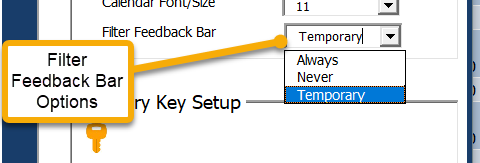
With the “Never” option, filter feedback bars will not be added or displayed.
With the “Temporary” option, a feedback bar will appear when the data form is opened then removed when the form is closed.
With the “Always” option a feedback bar will appear on any selected worksheet that has a table whether there is a Form on display or not. These bars will be removed by setting the option to temporary or Never.
All feedback bars can also be removed In the Application Options form. (Actions – Remove All Filter Feedback Bars)